The Flat Rate VAT Scheme is a simplified VAT accounting method available to eligible UK businesses with a turnover below £150,000.
Instead of calculating VAT on individual transactions, businesses using this scheme pay a fixed percentage of their turnover as VAT to HMRC. This can significantly reduce administrative burden and potentially lower VAT bills for many small businesses, making it an attractive option for sole traders, partnerships, and limited companies looking to streamline their tax compliance.
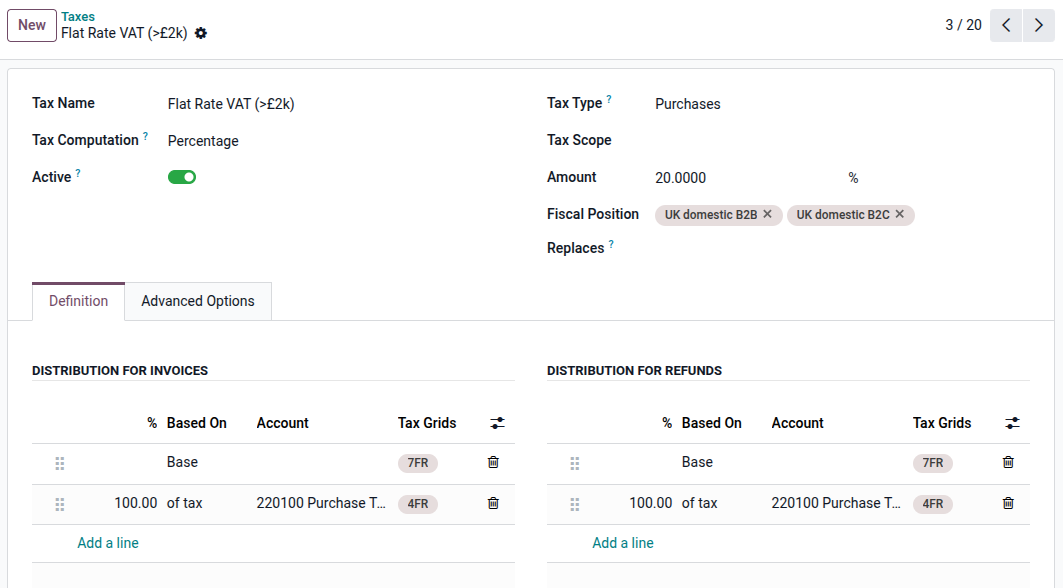
You are unable to reclaim VAT on purchases, unless they are over £2,000 and relate to capital assets.
Odoo support the flat rate scheme although configuration changes are required.
Add new Account Tags (Accounting->Configuration->Account Tags)
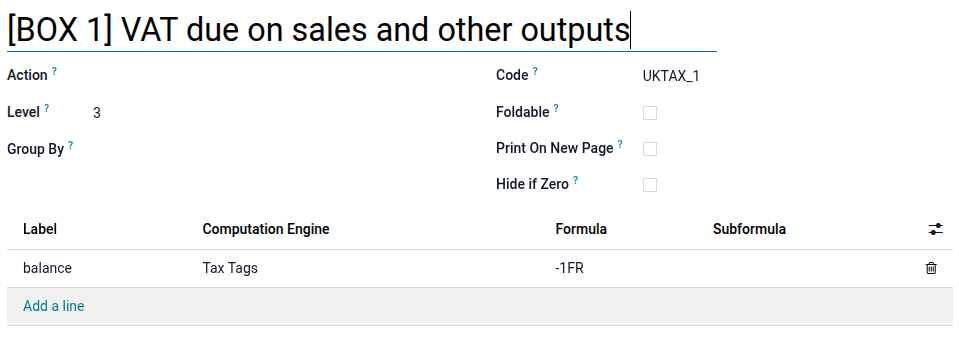
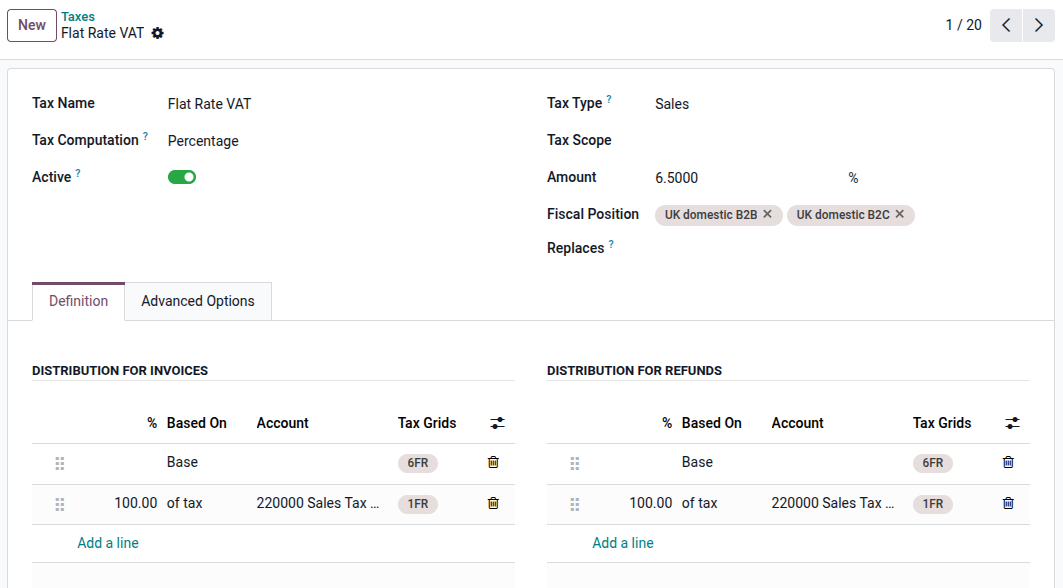
- 1FR
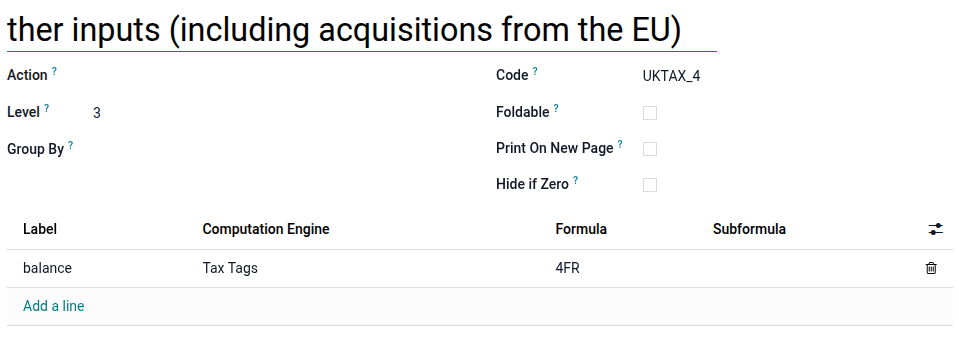
- 4FR
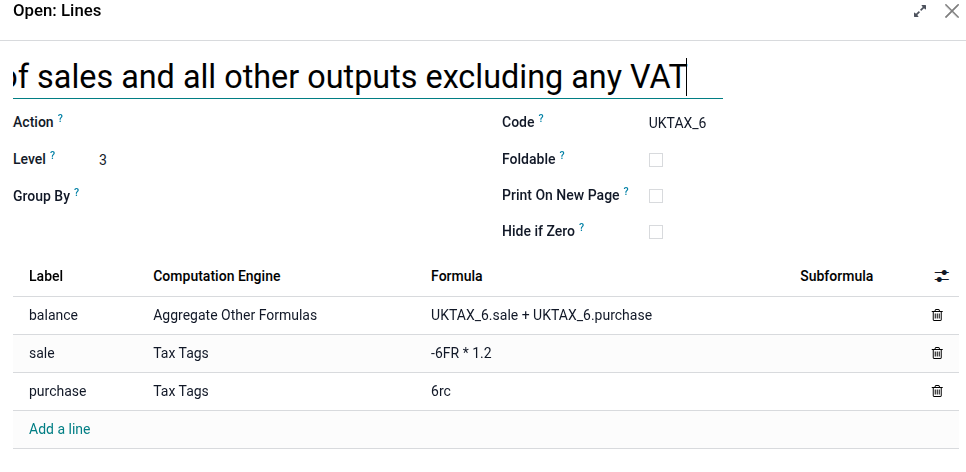
- 6FR
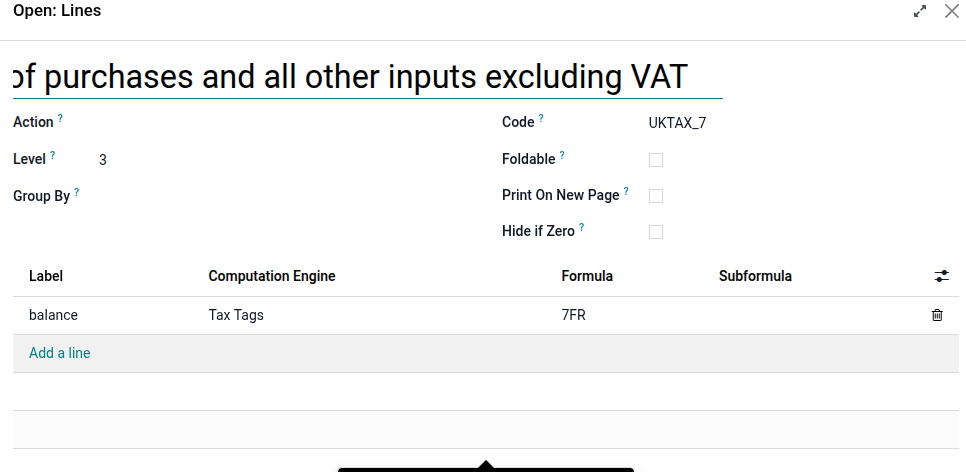
- 7FR
- Configure your taxes. You can disable most of the existing taxes except for 20% RC EX and 20% PVA.
- Add "Flat Rate VAT" for Sales
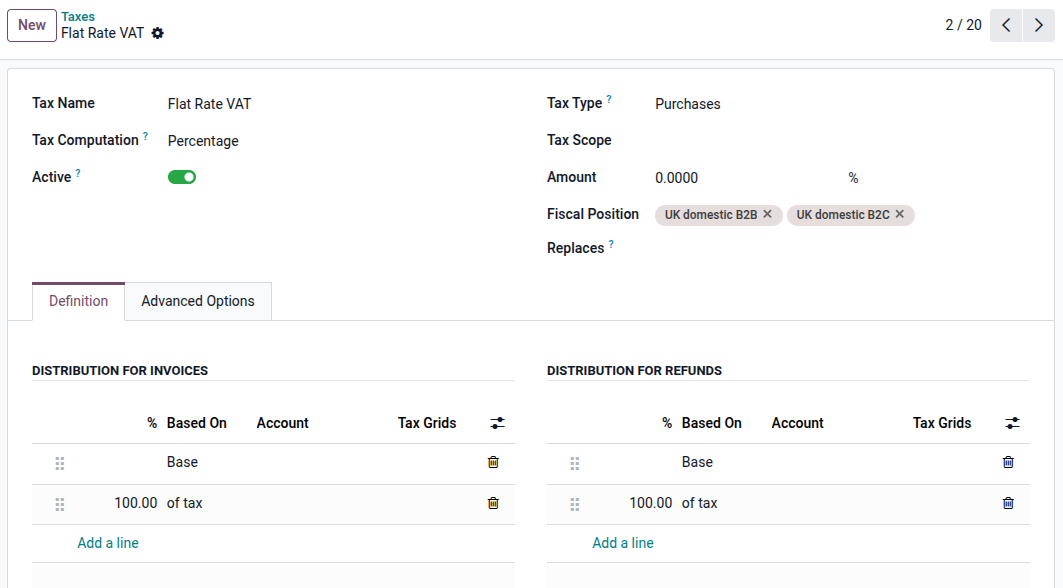
- Add "Flat Rate VAT" for Purchases
- Add "Flat Rate VAT" for Purchases > £2k
- Update the Tax Return Reports - Click the cogs
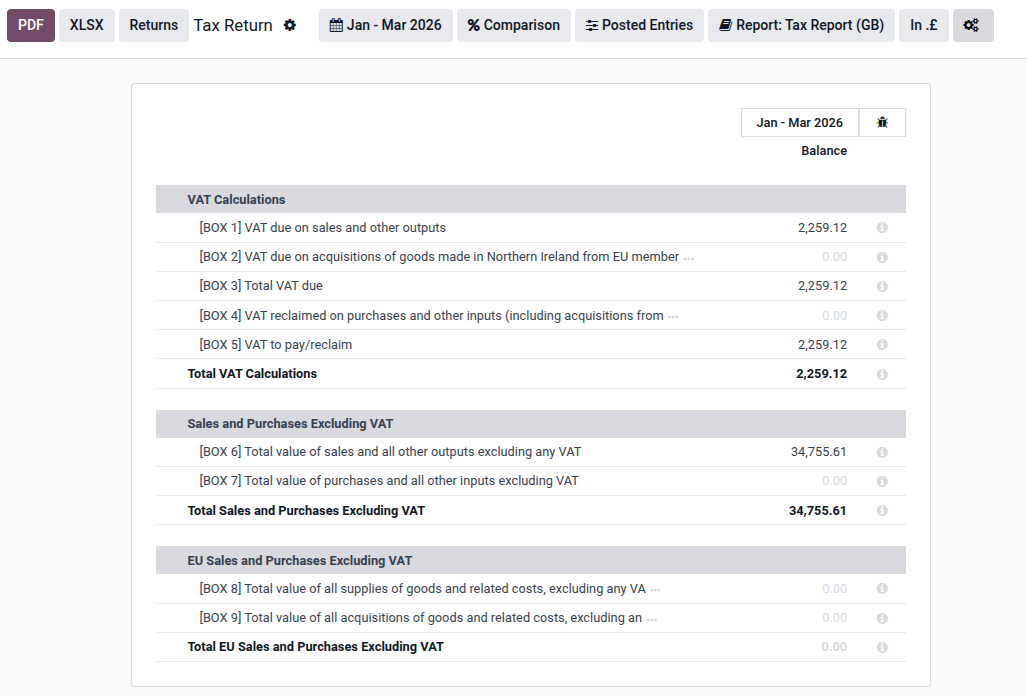
- Update the Formulae